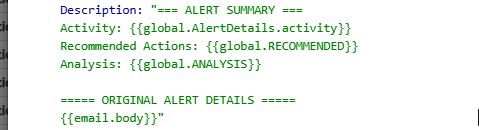
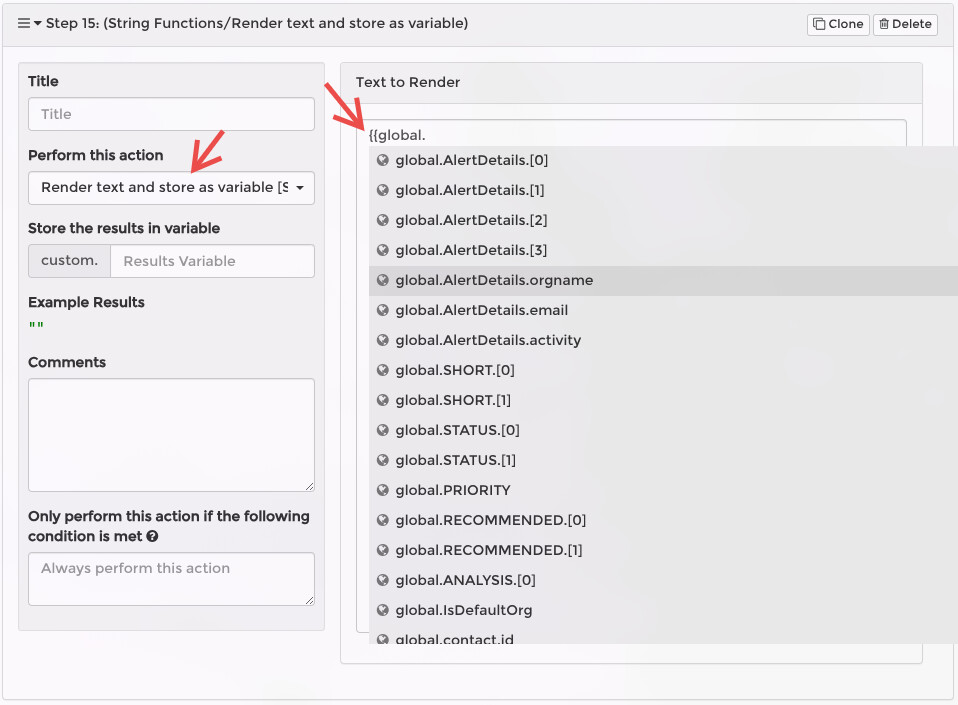
I’m building a new workflow and unexpectedly, in all the places where I would expect to have the variable inserted, I’m just getting the variable holding spot.
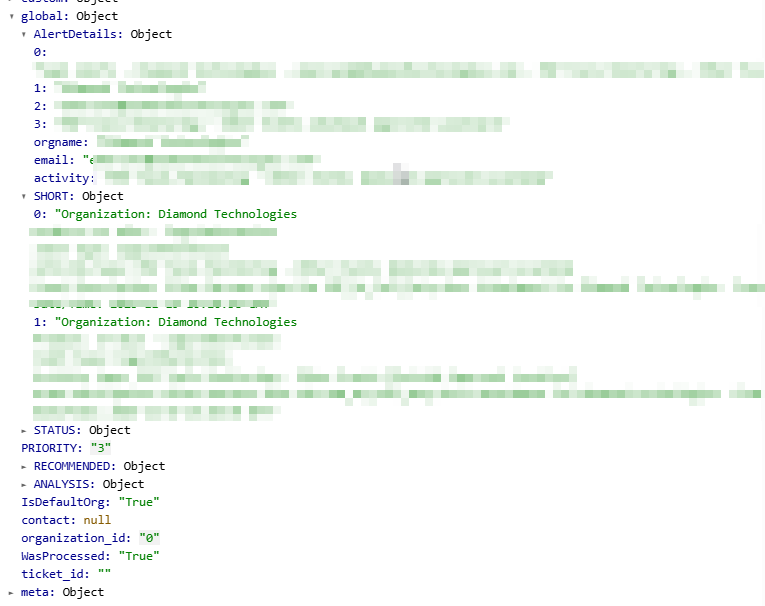
For example, here are the global objects coming into the create ticket, and I would expect to be able to use {{global.AlertDetails.activity}} or {{global.SHORT}} (if I just want the default [0] entry)
Did I accidentally toggle something off to not process these?
As a side, I know that I always struggle to get the list of variables to appear. When I start typing {{, the globals are never on the list (unless the global was defined in that rule). The custom one are sometimes there, but not always.. seems like it depends if the rule has been saved previously or not. So I usually wind up copy/pasting them to avoid any typos.
When MSPintegrations renders the template itself instead of the values, that indicates that the template rendering failed.
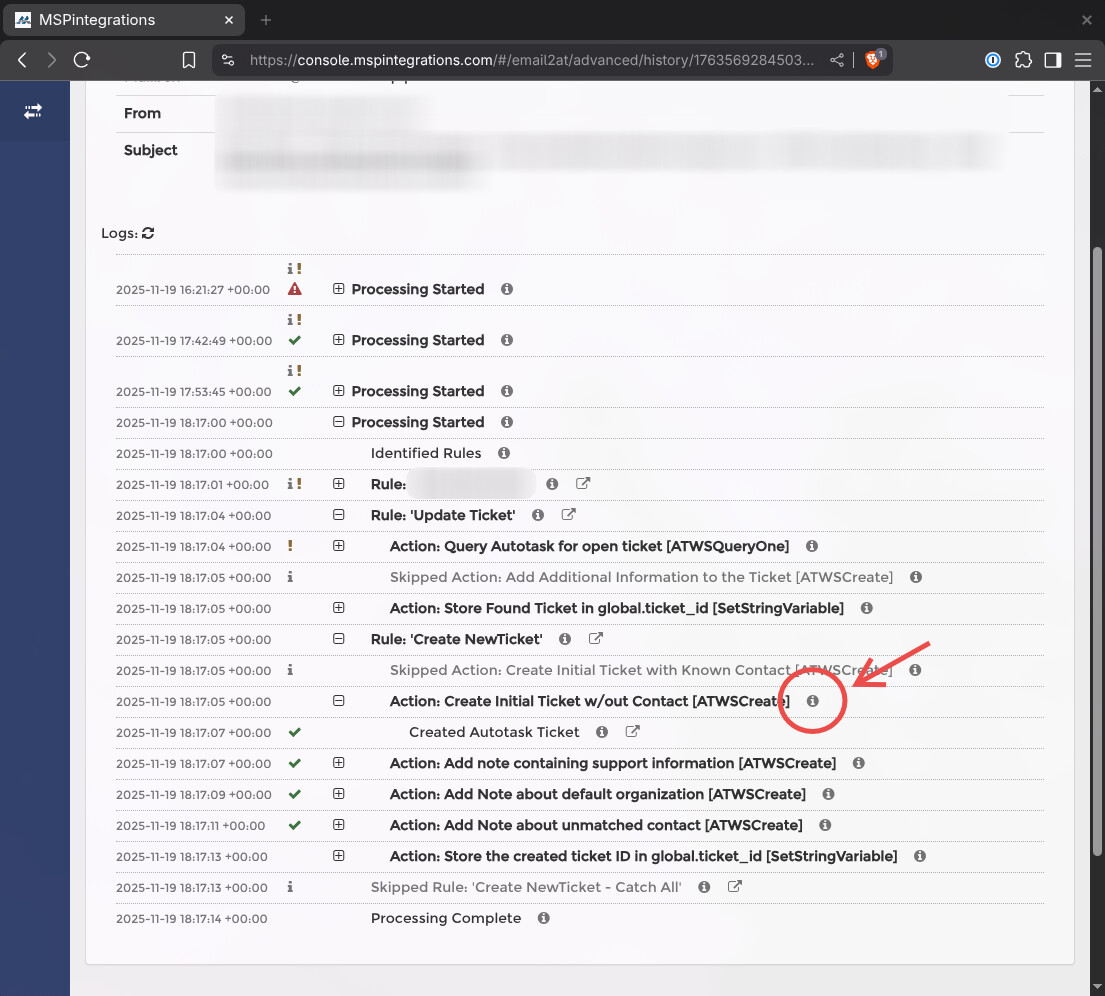
In your case, I see a few things that may be causing it. I recommend you check your properties by clicking the (i) icon in the logs for the action start step:
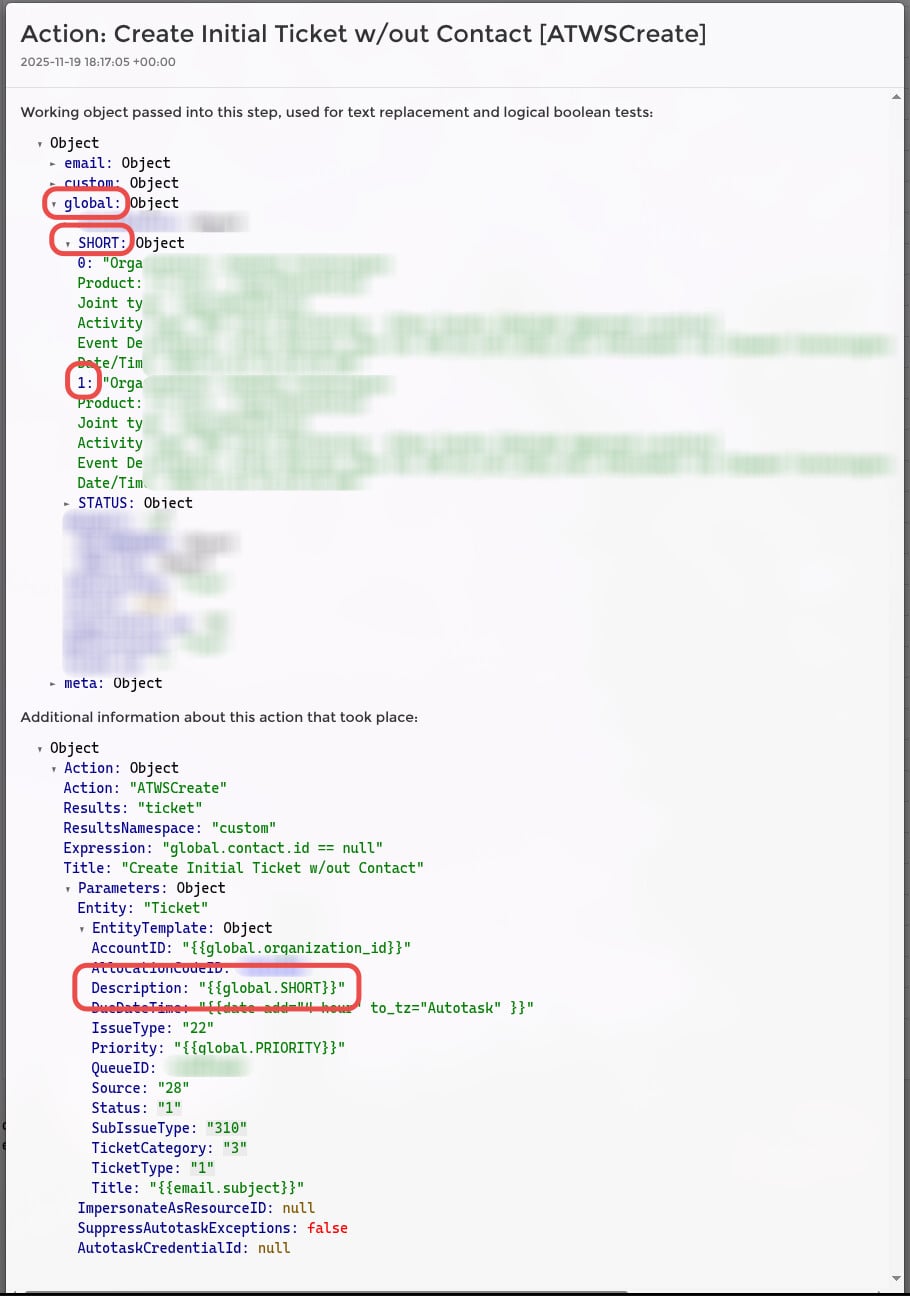
In this Create Ticket step, I can see that you configured the step to use {{global.SHORT}} in the ticket description. I can also see that global.SHORT is itself an object, and the correct syntax would be {{global.SHORT.[0]}} or {{global.SHORT.[1]}}.
You will need to re-test the message to confirm my diagnosis, but I expect that if you change the created ticket description to {{global.SHORT.[1]}} then the ticket will be created correctly.
A few asides:
Currently, if you input a bad expression (i.e. {{this is invalid}}), the MSPintegrations text replacement engine will return the template itself instead of the rendered text. In an upcoming release, this will change. Instead of silently returning the template, the text replacement engine will cause the workflow to fail and alert you so that you can proactively fix the issue. In other words, this future change will make it obvious that the template failed.
I recommend using regular expression “named capture groups” anytime you use the regular expression action step. This will allow you to access the captured group by name instead of a number. You can add a name alias to your capture group by adding ?<alias> inside the capture group opening parenthesis. In your “Parse Short Description” action, you would change /^(.*?Date\/Time:.*?)$/ms to /^(?<captured>.*?Date\/Time:.*?)$/ms. By changing this, you can access {{global.SHORT.captured}} instead of {{global.SHORT.[1]}}.
As you noted in an email to me directly, the global variables are not included in the auto-complete menu. This is by design (for now), and will be updated in a future release. In the meantime, I recommend adding a temporary step to the rule in which the global variable was added, and use that to determine the correct syntax. In your case, it could look like this:
Thanks Travis. I used the {{global.SHORT}} as one example, but this is happening with multiple items. Did something change in the naming or have I just always used named groups before and didn’t notice? I know that you can use the index with the .[0] or .[1], but thought that no index would return the default .[0] value? maybe I was just rendering those to a single item before and not an object.
I was having failures with named groups as well. For example, you are showing that I could have used {{ global.AlertDetails.activity}} yet, when that was used, it didn’t render… Nor did the {{email.body}}
Could this be a cascade effect? In other words, because one doesn’t render it causes failures in others in the template? Yes, I think this must be it, because changing the ones which needed an index value then allowed the other ones (with no change) to render as expected.
I’ll use that check variable trick in the future to grab everything that might be needed and then just copy/pate it.