Is there a way we can view the output and reasoning of the artificial intelligence to help us tweak our prompts?
Can you send me an example history URL so I can see exactly what actions you’re using?
Take a look at Rule: ‘Prioritize’ and Rule: ‘Route to SDM?’
Thanks
Thanks, Keith.
I can see that you have a prompt with a series of logic and questions and rules, asking the LLM to respond with just True or False.
The LLM returned just True in this case, with no additional data, thinking, etc. The LLM didn’t give any more data because the prompt specifically asked it to return just True or False.
Here’s what I recommend:
First, change to a Structured response format
Instead of prompting for a text response and instructing the LLM to “reply with either True or False”, I recommend prompting for a structured response and defining the structure to accept a boolean reply. This will enforce that the agent must respond with a boolean value. Right now, the agent could respond with Yes, No, or even I don't understand because the prompt accepts any text reply (even though you told it to reply only True or False).
Here’s what you have now:
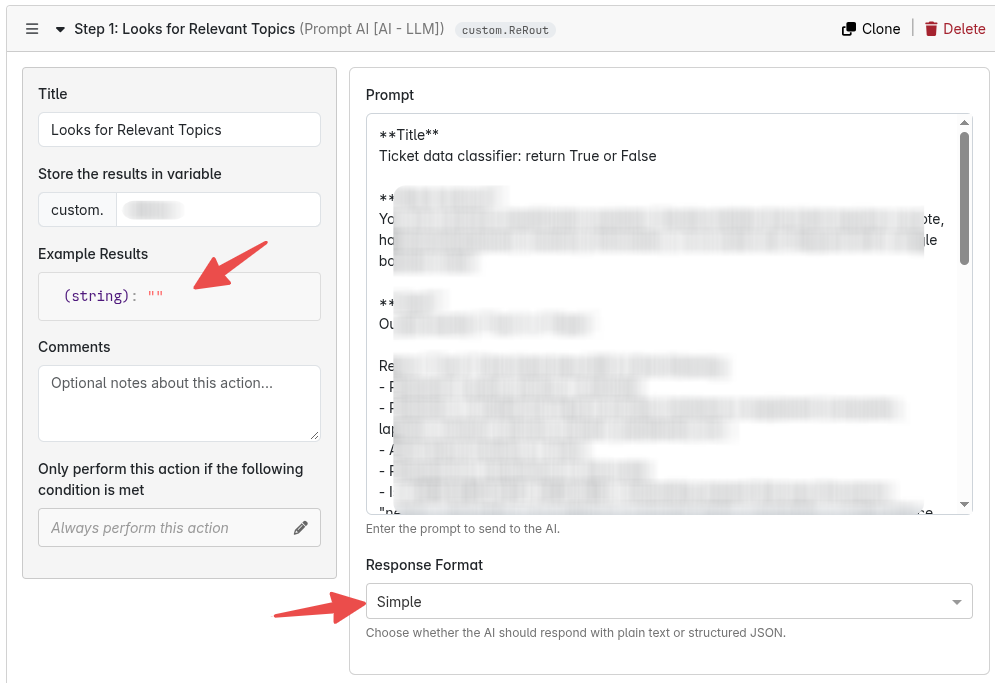
Change it like this:
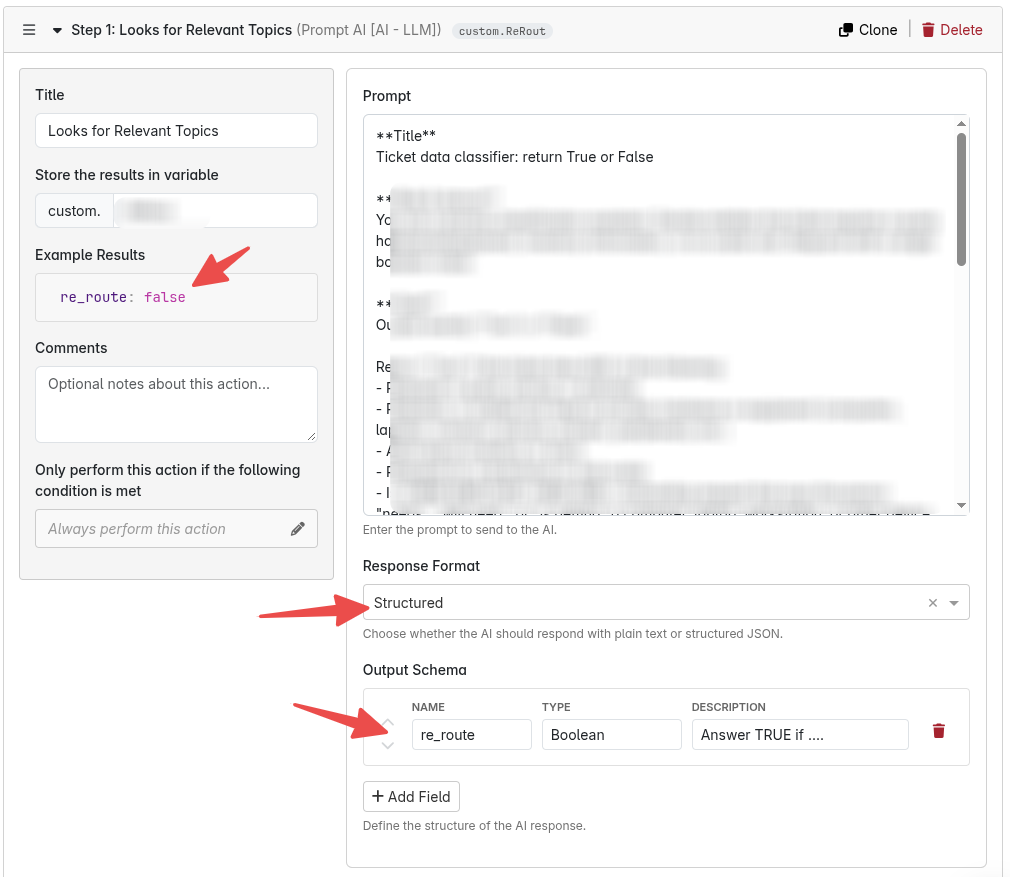
Once the response is Structured, add more fields to the data return to understand the reasoning
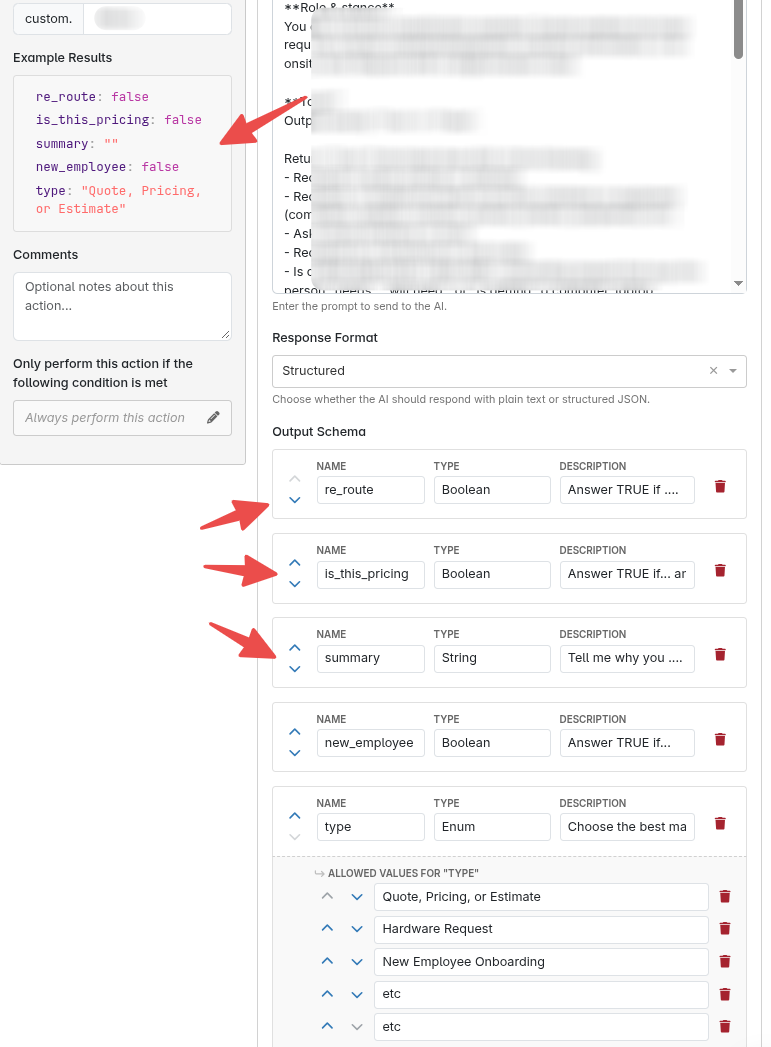
Once you do this, your returned variable will no longer be {{custom.foo}}, but will instead have few properties that you can use and review: {{custom.foo.re_route}}, {{custom.foo.summary}}, {{custom.foo.type}}, etc.
If you want the agent to tell you why it returned True for the base re_route prompt, then just add more and more fields to the structured response and ask it to fill in those fields with answers to your “why did you…” questions. You won’t use those data fields in your logic, but the system will log them and you can tell how the LLM “thought” about your prompt.
Bottom line: if you aren’t asking for a paragraph response, and if you need to guarantee the shape of the data you are getting back, configure the step to use a “Structured Response”.
That makes sense. Thanks. I put it in place. How would I do something similar with Autotask Picklist Values with AI?
Interesting question! The Autotask Picklist AI action doesn’t let you ask for adhoc answers, but it certainly could. Let me see what we can do to bridge that gap.